

Keep sources without keeping every tab open.
Save articles, papers, and references with a note about why each one matters. Group them by project and find them when you return.
Chrome Side Panel Extension + Web App
Keep the page, why you saved it, and when to return in one place. Tabrevo helps you organize saved Chrome tabs and follow up when the time is right.
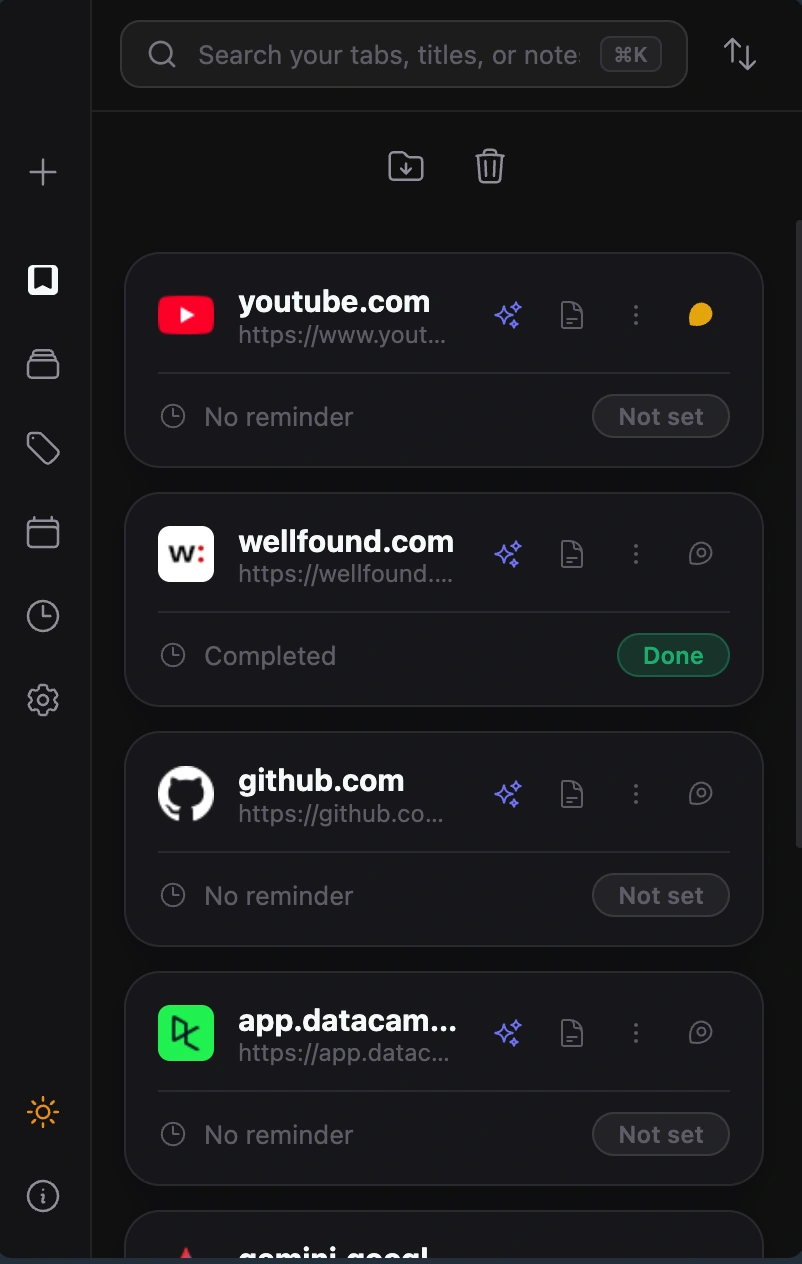
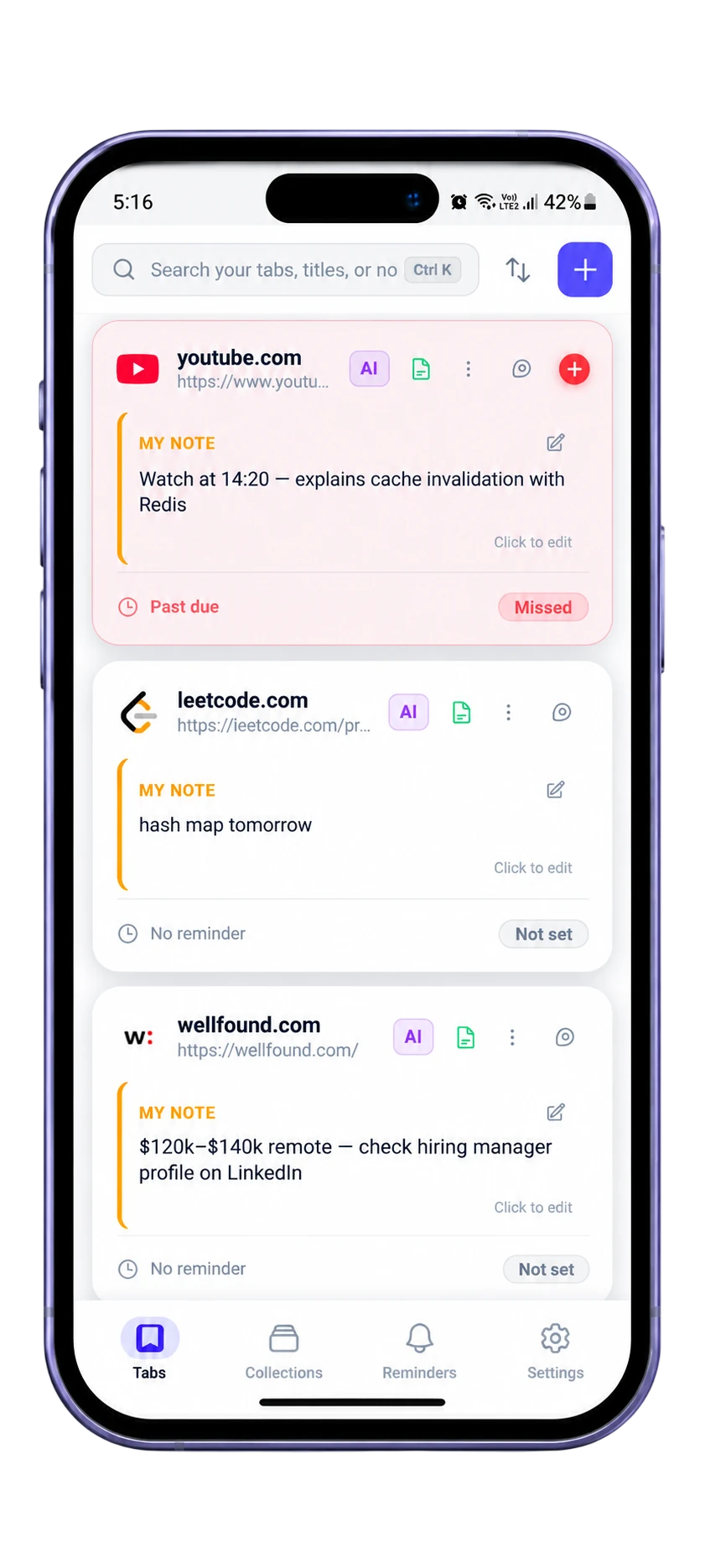
Keep the link and the reason you saved it together, then set a time to come back.
Save articles, papers, and references with a note about why each one matters. Group them by project and find them when you return.
Keep a job listing with your own note and a reminder to apply, check a deadline, or follow up later.
Collect the documentation, ideas, and decisions for one project, then schedule the pages you need to act on.
In Shift’s 2026 State of Browsing survey of 1,000 internet users, one in five respondents said they juggle 11 or more tabs at once. This is a result from Shift’s survey sample, not a population-wide estimate.
Keep saved Chrome pages searchable, organized, and connected to a note or reminder.
Keep the page, its context, and your own note together so the reason survives longer than the tab.
Set a time to revisit a saved page. Tabrevo can send a Chrome notification; if you enable the on-page reminder and grant access to a site, a reminder card can also appear there. Export a reminder as an .ics file or add it to Google Calendar.
When enabled, the in-page reminder card can show due saved pages on websites where you have granted Tabrevo access. Chrome notifications are also available. The card includes the page title, your note, and a link to open the page.
Tabrevo tracks snoozes. Repeatedly snoozed or overdue reminders can surface in a review queue, where you can revisit, reschedule, or archive them.
Export a saved page reminder as an .ics file for a compatible calendar, or add it to Google Calendar with a notification. Calendar access is optional.
Use collections, tags, pins, and search to keep useful pages connected to the work they belong to.
A saved page can move through a simple timeline instead of vanishing into history.
A page has a time to return.
Postponed to a later time. Tabrevo keeps the snooze count.
A reminder passed without a visit.
The page served its purpose.
Keep it out of the active queue.
Save a page from Chrome, then add a note, organize it with collections and tags, or set a reminder to return to it.
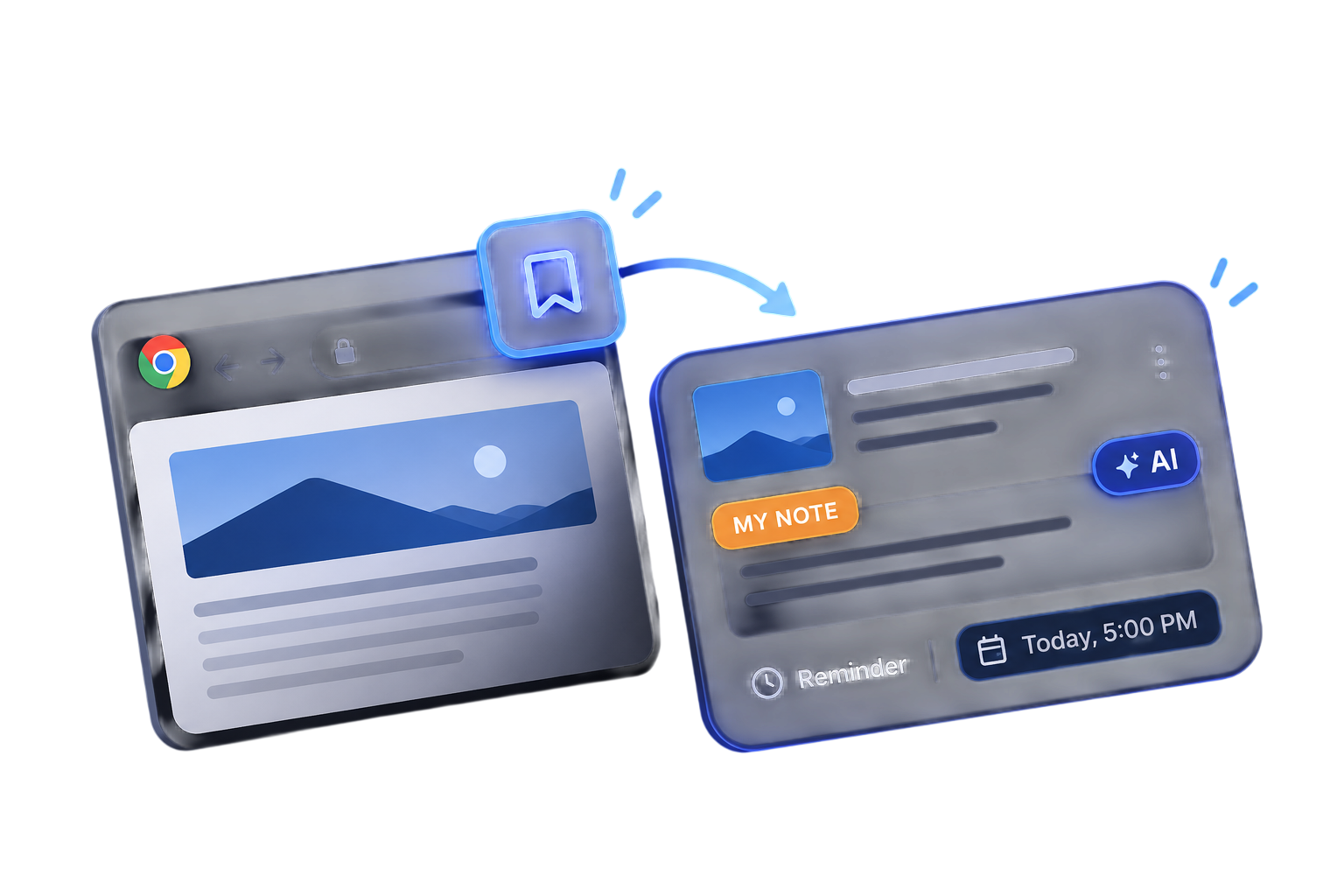 ExtensionWeb app
Request a summary or discuss selected page text using a supported AI provider and your own API key.
AI is opt-in. It is not required for the core save, organize, and revisit workflow.
Save it once, and we’ll bring it back when it’s time.
A clear look at the features that help you save, organize, and return to useful pages.
| Capability |  Tabrevo |  Chrome tab groups |  OneTab |  Raindrop.io |
|---|---|---|---|---|
| Save pages or tabsKeep links for later | ✓ | ✓ | ✓ | ✓ |
| Organize saved itemsGroups, collections, or folders | ✓ | ✓ | ✓ | ✓ |
| Search saved itemsFind saved pages again | ✓ | — | ✓ | ✓ |
| Add notes or annotationsKeep personal context with a save | ✓ | — | — | Pro |
| Set timed remindersChoose when a saved page should come back | ✓ | — | — | Pro |
| Track a follow-up as doneOneTab tasks; Tabrevo reminder status | ✓ | — | ✓ | — |
| Snooze and review overdue remindersA dedicated return-to-it workflow | ✓ | — | — | — |
“—” means the feature is not listed in the linked product information. Raindrop.io offers reminders and annotations on its Pro plan.
Product sources: Chrome HelpOneTab HelpRaindrop.io features
Saved tabs, notes, reminders, and offline article content are stored locally by default. If you enable account sync, selected AI features, Google Drive backup, or Google Calendar, the data needed for that feature is sent to the service described in our Privacy Policy.
No. AI features are opt-in. When you request a summary or answer, relevant text from the selected page and your question go to the AI provider you choose: Gemini, Groq, Cerebras, or OpenRouter. OpenRouter may route requests to another model provider.
Yes. The extension can optionally back up supported library data to Google Drive. API keys are excluded from the backup flow.
The current extension targets Chrome and requires Chrome 120 or newer.
We have no funding or ads, so we use a free DuckDNS address instead of paying for a custom domain each year. That helps us keep Tabrevo free. We care about your privacy. Read how your data is handled in our Privacy Policy.
By default, your saved pages, notes, and reminders stay in your browser, and you can use Tabrevo without an account. If you turn on sync, saved records are sent to and stored on Tabrevo’s server; sync is not end-to-end encrypted. AI, Google Drive backup, and Calendar are optional and send the data needed for those features to the service you choose. We don’t sell user data or use it for personalized ads. See the full details in our Privacy Policy.
Yes. Account sync is optional. You can use Tabrevo locally without signing in, or sign in with Google to synchronize saved records through the Tabrevo service.
Tabrevo does not currently provide a Pocket account migration tool. You can save new pages in Chrome with notes and reminders; supported pages can also be saved as extracted article text for offline reading.
You can receive Chrome notifications for due reminders. An optional in-page card can also appear on websites where you have granted Tabrevo access. It shows the saved page title, your note, and a link to open the page. You can dismiss it when you are done.
Tabrevo tracks how often you snooze a reminder. Repeatedly snoozed and some overdue reminders can appear in the review queue in the Calendar area, where you can reopen, reschedule, or archive them.
Yes. You can export a reminder as an .ics file for a compatible calendar or choose to add it to Google Calendar. The Google Calendar option requests calendar access when you use it.